ArcRelay Automate

Turn repeated steps into a local routine.

Made for · Power users building personal routines

Run ordered actions after a device connects, a file arrives or a scheduled time, with explicit conditions and visible step results.

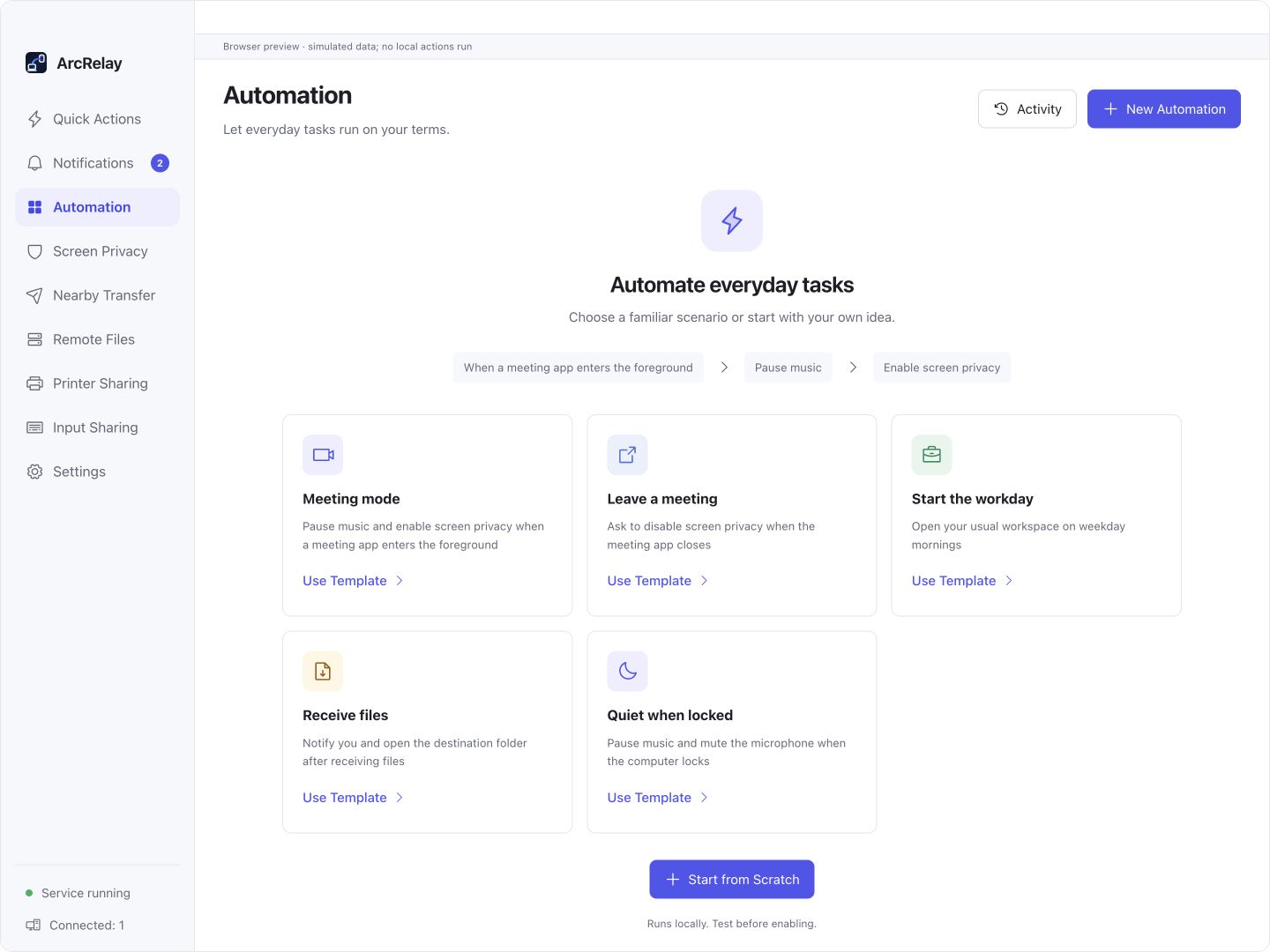
Suite Automation templates for meetings, starting work and receiving files. The preview runs no local actions.
Start a routine from an everyday scenario

Suite Automation templates for meetings, starting work and receiving files. The preview runs no local actions.

Captured from an English development preview of the current desktop frontend with example devices and content. The installed version determines the interface and available features.

BUILT AROUND YOUR DAY

Make repeated steps easy to inspect.

Define an event, conditions and ordered steps. Run the routine locally and inspect the outcome of each step.

01

Starting work or a meeting repeats the same setup

Start with a trigger and conditions

Use time, device connection or file-completion events. All conditions must match; available triggers depend on the platform.

02

Actions are scattered across tools

Arrange ordered steps

Combine quick actions, Shell, delays and notifications. Steps run in order and stop on failure so the problem is visible.

03

An automatic run leaves no clear outcome

Inspect activity and confirmation

Choose automatic or ask-before-run behavior and inspect step results or cancellation in activity. Interrupted runs are not replayed after restart.

Explore features, permissions and platform support

START WITH ONE TASK

Put the steps together.

01

Choose a trigger and required conditions

Choose a trigger in the current Automation page; all configured conditions must match.

02

Add actions, waits or notifications

Add quick actions, Shell, waits and notifications in order; use only commands you understand.

03

Choose confirmation behavior and inspect activity

Choose automatic or ask-before-running behavior, run manually and inspect activity. Dangerous actions still require local confirmation.

Read the user guide

BEFORE YOU START

Know what to expect.

Steps run in order and stop on failure. Dangerous actions retain local confirmation; interrupted runs are not replayed after restart, and triggers vary by platform.

This page describes the focused product’s value; it does not announce a standalone package release.

Read the feature and permission details

Need several tools working together?

ArcRelay Suite brings input, content and local tasks together over trusted device connections.

Explore Suite