


 ArcRelay Suite · Local-first device collaboration
ArcRelay Suite
Let input, files and your clipboard move naturally between your devices.
ArcRelay Suite brings cross-screen input, phone control, clipboard and file transfer into one local-first collaboration experience. Get the Windows app from Microsoft Store or the official macOS installer. Desktop source is public on GitHub. Features depend on platform, version and system permissions.
The Windows app is now on Microsoft Store.
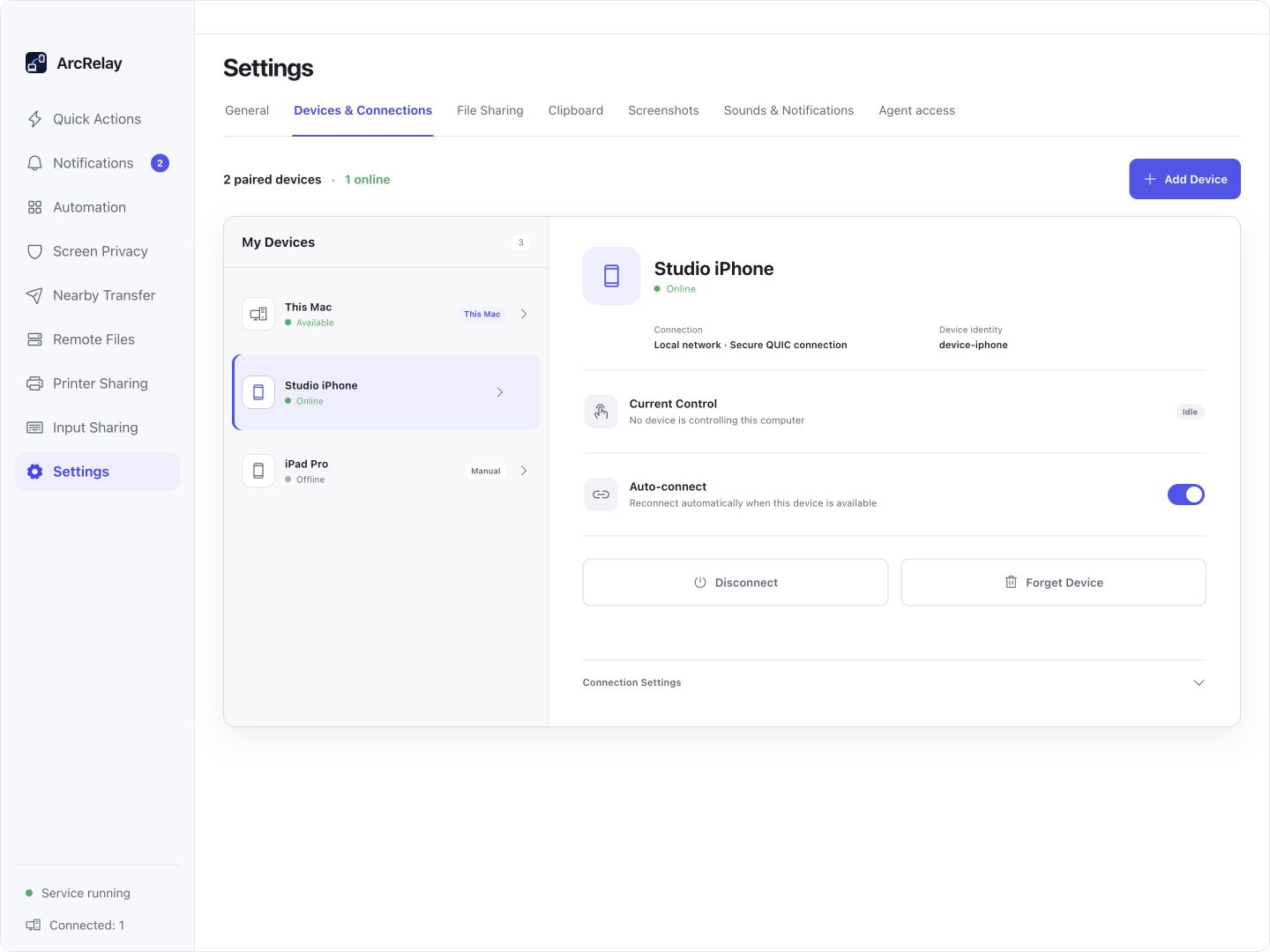
Suite Devices & Connections: identity, online status and automatic reconnection.
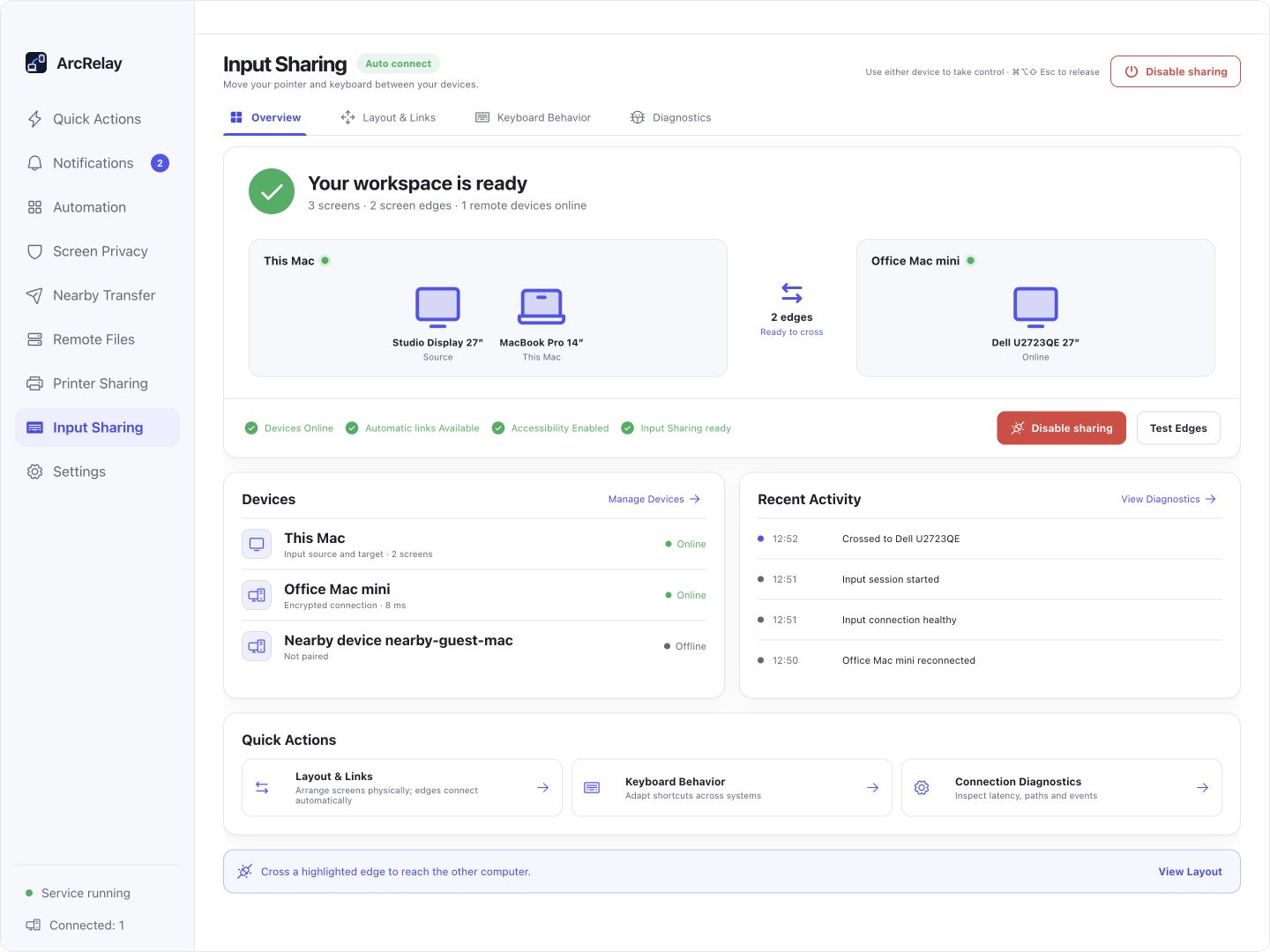
The Input Sharing workspace uses the same device connections; other capabilities are available from the sidebar.
Captured from an English development preview of the current desktop frontend with example devices and content. The installed version determines the interface and available features.
Who it is for
See whether it fits what you need today.
- People using multiple Windows or macOS computers
- Users who value local discovery, explicit pairing and capability-level permissions
- Anyone who wants direct file transfer, clipboard relay or shared keyboard and mouse control
- A required official Linux desktop package
- Centralized cloud administration, a team console or a public business hub
- Every capability distributed as a separate standalone application
BUILT AROUND YOUR DAY
Bring everyday device work together.
Use one trusted device connection for input, files and clipboard work. Enable the capabilities you need as you need them.
Your devices work in isolation
Manage connections and grants together
Verify device identity, connect and grant capabilities for the task. Pairing does not authorize every feature.
Copying, sending and switching need separate routines
Choose the tool for the task
Use Mouse for input, Transfer for file delivery and Clipboard for reusable content. Enable included Sniptra capture tools in settings.
Convenience still needs visible boundaries
Keep control on the device
Review grants, retention and notifications. Dangerous actions retain local confirmation. Support depends on the version and platform.
A simple way to start
From discovery to collaboration, the route stays visible.
Discover
Find your devices across reachable networks.
Pair
Confirm identity and the capabilities being opened.
Collaborate
Let input and content move along trusted paths.
GitHub direct downloads · v0.3.0 · 2026-10-07
Choose the package for your device.
Microsoft Store is the recommended Windows install channel; direct installers are also available. Choose a macOS DMG for your chip. Store versions and requirements are listed on the Store page; the GitHub version below applies only to direct downloads.
Windows
Install and update through the Store; see its listing for the version and system requirements. Windows x64 / ARM64 direct installers are also available below.
macOS
Apple Silicon / Intel
Current official packages cover Windows x64 / ARM64 and macOS on Apple Silicon / Intel. Linux packaging will follow when its native process and system-monitor services are ready.
What we are working on
Make the three everyday jobs dependable first.
ArcRelay Suite is now officially released with the capabilities below. These stages describe the later direction of each capability as a standalone product; they do not mean the integrated application is unreleased.
Prioritized for core-task, connection-quality and cross-platform validation.
Its final shape depends on real demand after the launch path is stable.
A clear capability boundary without a premature release promise.
ArcRelay Mouse
Share keyboard and mouse across computers, or control input from a phone.
Explore this product01ArcRelay Transfer
Send files directly between nearby devices with visible progress and destinations.
Explore this product02ArcRelay Clipboard
Relay text, images and frequently used snippets across your devices.
Explore this product03ArcRelay Monitor
Keep essential computer status and activity within reach.
Explore this product04ArcRelay Privacy
Switch privacy protection remotely and verify its state.
Explore this product05ArcRelay Automate
Build inspectable local automations from triggers, conditions and ordered steps.
Explore this product06ArcRelay Print
Share printing capabilities safely across trusted devices.
Explore this product07Boundaries and trust
See how it works, and where its boundaries are.
Local discovery
Nearby device discovery begins on the local network.
Explicit pairing
Every relationship has a visible, revocable trust state.
Capability grants
Input, files and clipboard permissions are expressed separately.
Feature-specific access
Pairing, native capability grants and browser directory access are managed separately.