

Sniptra
Capture it. Mark it up. Keep moving.
Sniptra turns region and window capture, editable annotations, local text recognition and pinned images into one continuous action. It is built into ArcRelay and is also available as standalone packages for Windows, macOS and Linux.
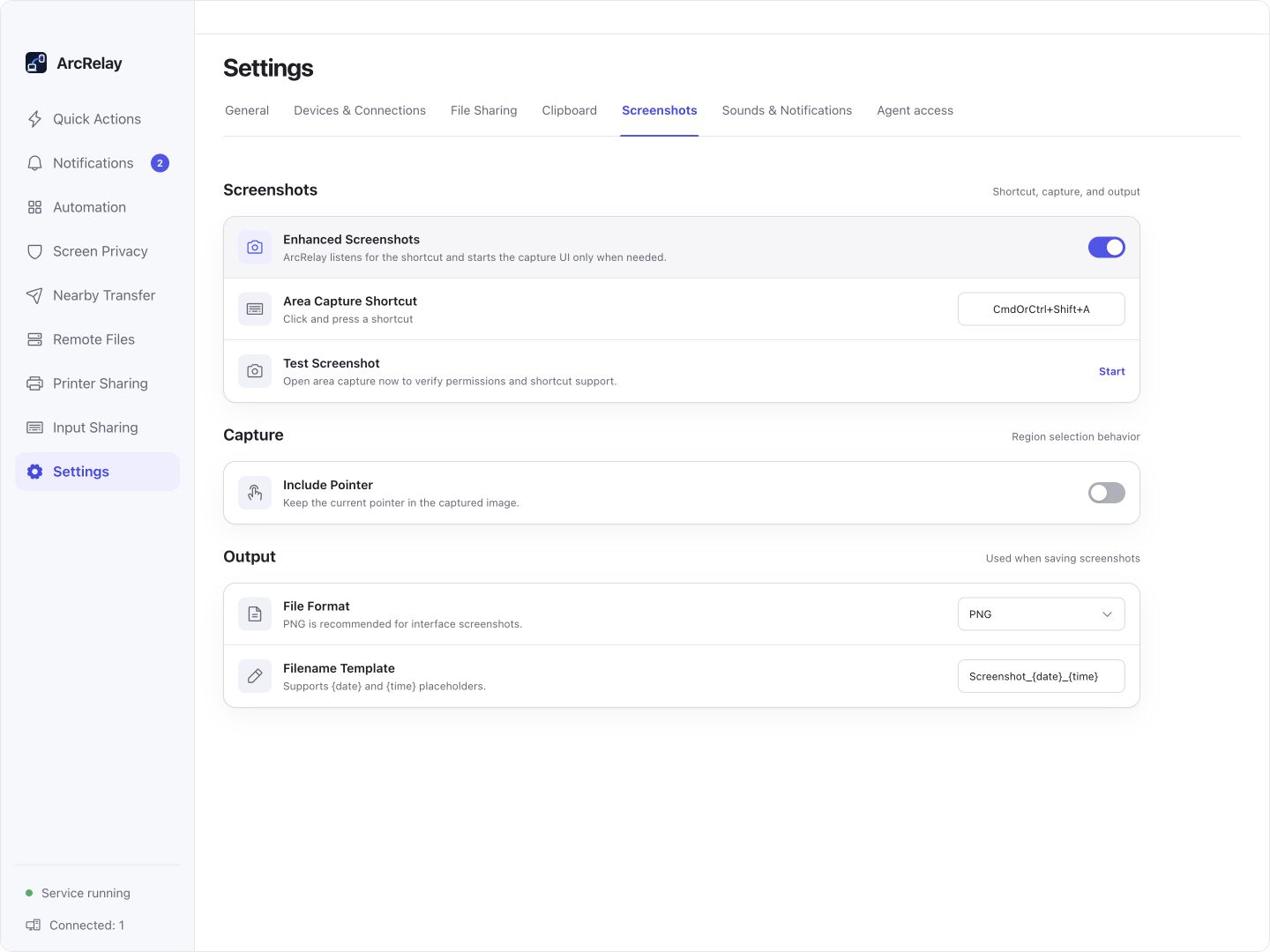
Sniptra integration settings in Suite: shortcut, pointer and output format. This is not the annotation editor.
Captured from an English development preview of the current desktop frontend with example devices and content. The installed version determines the interface and available features.
ONE SNIPTRA, TWO WAYS TO USE IT
Included in ArcRelay. Designed to stand on its own.
Taking a screenshot is a complete job in itself. Use the built-in Sniptra when you need ArcRelay collaboration, or the standalone product when a screenshot tool is all you need.
Inside ArcRelay
The Windows and macOS 12.3+ desktop integrations include the component without another installation. Bundled does not mean enabled: turn on enhanced screenshots in General settings. Clipboard history and onward sync follow ArcRelay settings and grants.
- Bundled with supported ArcRelay desktop packages
- Opt in, then launch on demand
- Settings isolated from the standalone app
Just Sniptra
The standalone Sniptra app runs with its own tray, shortcuts and settings. Packages are now available for Windows x64, macOS on Apple Silicon and Linux x86-64.
- No ArcRelay or device pairing required
- Independent tray, shortcuts and settings
- Capture, annotation and OCR run locally
ArcRelay's bundled component and the standalone Sniptra app keep separate settings. The standalone GitHub repository distributes documentation and binaries; its source code is not open source.
v0.1.0 · Build 21 · Released 2026-09-07
Choose the package for your device.
The standalone Sniptra app is available for Windows, macOS and Linux. Verify a download against the SHA-256 list on the release page when needed.
Windows
x64 MSI also available · 14.7 MB
macOS
Requires macOS 12.3 or later
Linux
amd64 DEB also available · 17.4 MB
The standalone release currently supports Windows x64, macOS on Apple Silicon and Linux x86-64. Its GitHub repository distributes documentation and binaries; Sniptra source code is not open source.
Who it is for
See whether it fits what you need today.
- Quickly capturing and annotating feedback, documentation and conversations
- Extracting text locally or pinning images for reference
- Using screenshots inside ArcRelay or installing Sniptra on its own
- Screen recording, video editing or a shared cloud screenshot library
- Identical scrolling-capture support across every platform
- A requirement for open-source Sniptra source code
BUILT AROUND YOUR DAY
Make your point after the capture.
Mark the important area, add a note or extract text, then copy, save or pin the result in one capture workflow.
A small annotation needs another editor
Capture and editable annotation
Capture a region or window and add arrows, shapes or text. Adjust annotations without taking the screenshot again.
Text in an image has to be typed again
Run OCR locally on demand
Recognize the text you need in the capture canvas and copy it into your next task. OCR runs on the device.
Your reference image gets buried
Pin, copy or save
Pin an image for reference, copy it or export it. Scrolling capture varies by platform; there is no screenshot-history library.
A simple way to start
Capture. Explain. Deliver.
Capture
Start from ArcRelay screenshot actions, or Sniptra’s own tray and shortcuts.
Explain
Highlight what matters, add text or extract content with local OCR.
Deliver
Copy, save or pin the result as a desktop reference.
Boundaries and trust
See how it works, and where its boundaries are.
No automatic network calls
Sniptra itself needs no account and makes no automatic cloud or telemetry requests.
OCR stays on your device
Text recognition runs on demand using local models shipped with the application.
No screenshot history
Sniptra records no screenshot history. Copied content is managed by the system clipboard and related apps.
Sharing follows permission
Within ArcRelay, clipboard sync and file delivery follow ArcRelay settings, pairing relationships and permissions.